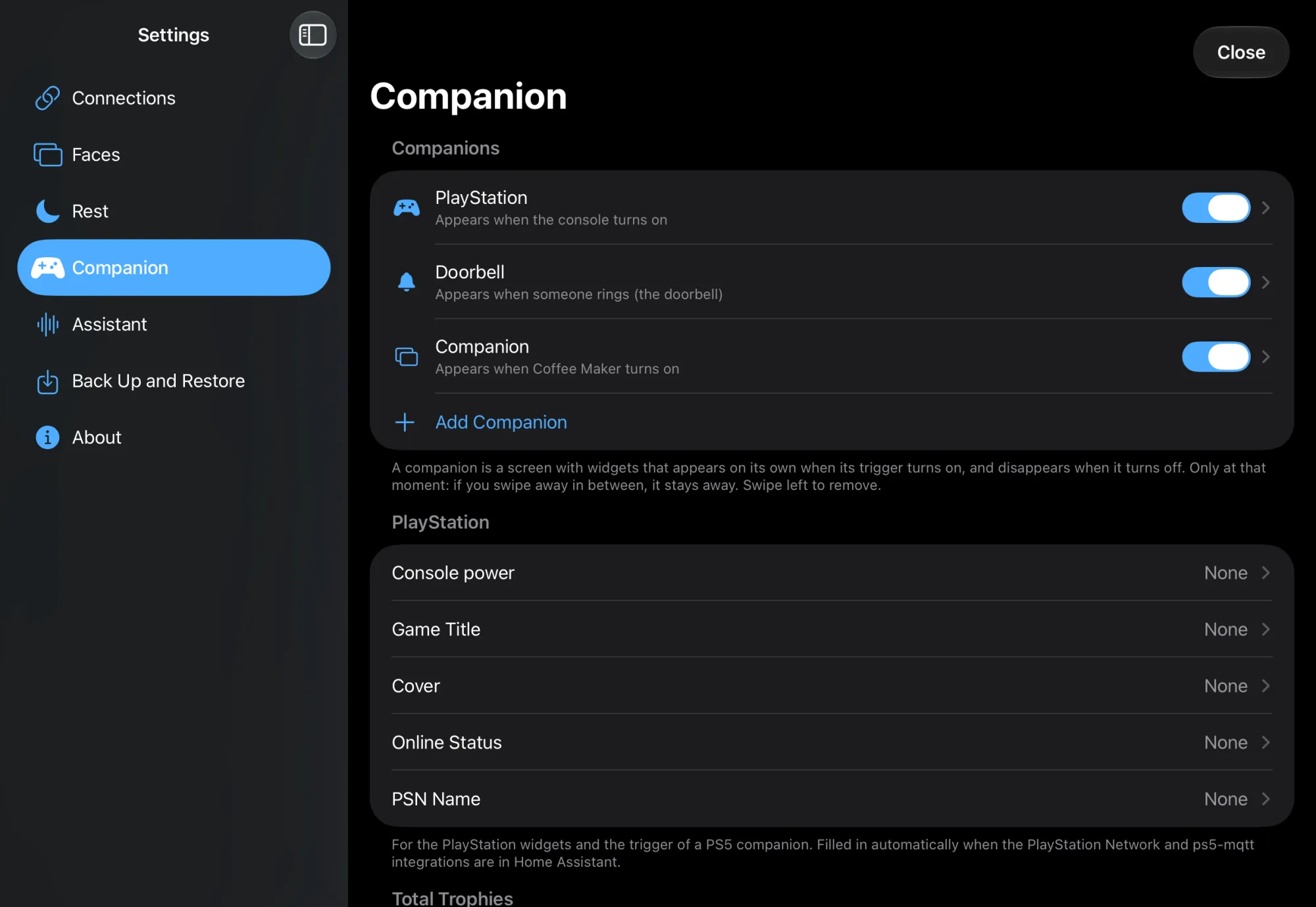
A companion is a screen with widgets that appears over your faces by itself when its trigger turns on, and disappears when it turns off. There are three kinds:
| Kind | For |
|---|---|
| PlayStation | Appears when the console turns on; trophies, game and controls. See PS5 companion |
| Doorbell | Opens the camera as a call when someone rings. See Doorbell and cameras |
| Custom Screen | Your widgets, with a trigger you choose |
Steps: adding a companion
- Swipe up from the bottom edge and tap the gear at the bottom left.
- Tap Companion in the sidebar.
- Tap Add Companion and choose PlayStation, Doorbell or Custom Screen.
- Tap the new companion in the list.
- Optionally give it a Name.
Steps: choosing the trigger
- Under Appears, tap Entity and choose the device, for example your TV or a switch. You can search at the top.
- At When, choose:
- Turns On: when the device turns on;
- Turns Off: when it turns off;
- State or source: when it has a certain state. If the device has sources (like a TV), choose the source at Source; otherwise type the state.
- If you want the companion to disappear by itself too, turn on Automatically under Disappears and choose an entity and When the same way.
Steps: building the screen
- In the companion, tap Customize Widgets.
- Add widgets as on the home face: + at the top right, a source and a size. See Faces and widgets. Under PlayStation there are widgets for the game, trophies, your level, your games and a soundbar.
- Tap Done.
- Tap Show Now to see the companion without waiting for the trigger.
How a companion behaves
- It only appears at the moment the trigger turns on, and only disappears at the moment the disappear trigger turns on. States like "unavailable" don't count.
- If Disappears is off, it stays until you swipe it down.
- If the gallery, Settings or a control is open, it doesn't appear. Nobody loses the screen while using it.
- If you swipe it away, it stays away. A button with its name then appears at the top to bring it back, as long as the trigger is on.
- While a companion is on, rest doesn't start.
Check
- In Settings › Companion, the companion's trigger is shown below its name.
- Show Now opens the screen with your widgets.
- Turn on the trigger device: the companion appears over the face that is showing.
Not working?
The companion doesn't appear
Is On turned on in the companion? Was something open (gallery, Settings, a control)? If you swiped it away earlier, use the button at the top.
An own screen never appears
Choose an Entity under Appears. Without an entity, an own screen has no trigger.
It appears when the app starts
That's right: if the device is already on when the app starts, that counts as turning on. That way you also get the companion when you open the app while already playing.
You don't want it as a face in the row
Turn off Also as a Face in the Row in the companion. It then only appears by itself.
You don't want it for a while
Turn off On. The screen and widgets are kept. Remove it with Remove Companion, or by swiping left in the list.