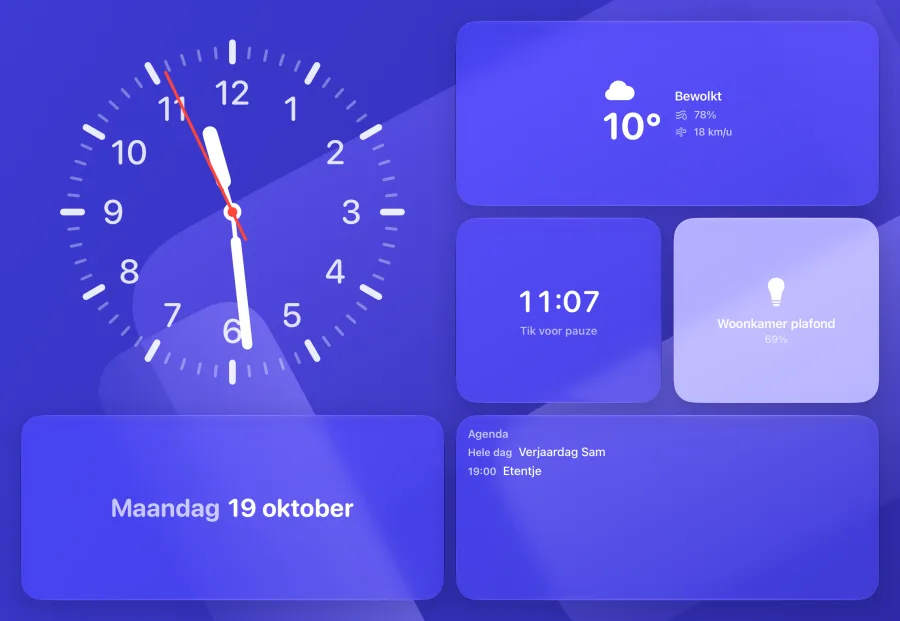
Your devices next to the clock and the weather.
Lights, switches, thermostats and scenes as tiles, next to the clock, the weather and your calendar. A grid from 3×3 to 5×4, with a size per tile: small, wide, tall or large.
Every feature by topic, recorded in the app with the demo devices. Each topic links to the guide for setting it up.
Lights, switches, thermostats and scenes as tiles, next to the clock, the weather and your calendar. A grid from 3×3 to 5×4, with a size per tile: small, wide, tall or large.
Clock, date, weather, photos, calendar, timer, music, lights, blinds, switches, scenes, thermostats and cameras. Every widget in four sizes and with its own variants: the clock alone has nine dials. Hold a face, tap a widget and choose.
Pinch or swipe up for the overview of your faces; keep pinching and you see them all in a grid. There you pick one, add faces, put them in order and change the color, font and options per face.
Hold a face and swipe sideways on an empty spot: the next style slides along with your finger, like the lock screen of your iPhone. At the bottom right you pick a color of your own. Cancel puts everything back.
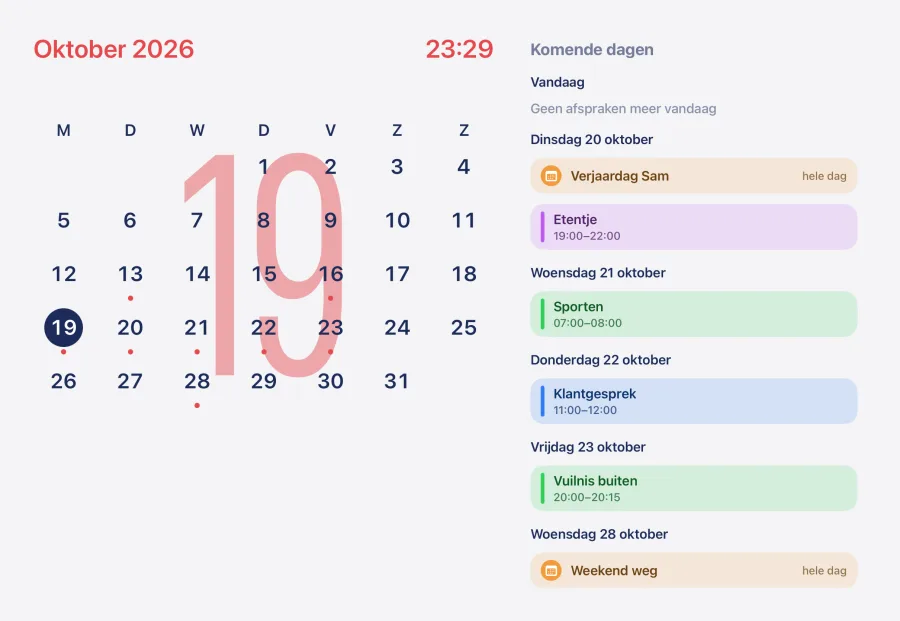
The month and your appointments for the coming days, from the calendars on your iPad: iCloud, Google and others. No Home Assistant needed.
A kitchen timer you can read from the couch. Turn around the ring until the minutes are right and let go. Running timers keep going when you swipe to another face.
Guide: Faces and widgets · Calendar and weather
Hold a light and it fills the whole screen. Dimming is one swipe across the whole screen, without aiming for a small slider. The same for blinds, fans and locks; unlocking asks for a second tap.
The controls face shows the devices you pick yourself, room by room, with that room’s scenes below. Tap for on or off; hold for the whole screen.
Guide: Controls from the couch
Swipe down from the top: the assistant stretches out of the edge like a drop and becomes a bubble. Say what you want: "set the living room lights to half". The voice assistant of your own Home Assistant answers, large on screen and out loud. With Apple Intelligence, the language model on the iPad itself can answer too, without anything leaving the house.
Works withHome AssistantOpenAIGeminiClaudeOllama
Tap Ask something else and keep talking in the same conversation. With Follow-up questions on, the app remembers your previous question and the answer for five minutes, so "and the kitchen too" works. Only with a language model; off by default.
Guide: Talking to the assistant
Artwork, progress, volume, speaker grouping, favorites and a sleep timer. Tap a line to skip to it. Tested with Sonos. HomePod and other speakers through Home Assistant. Lyrics need the instnt_hub integration, which cannot be installed yet.
Works withSonosHomePod
Start a song anywhere in the house and the music screen slides over the face you had on. Pause it and you are back where you were.
Guide: Music and lyrics
When someone rings, the camera opens on top of everything, or small in the corner if someone is using the iPad, with hang up, talk back (beta) and the locks beside it. Tested with Ring; other cameras from Home Assistant, such as UniFi Protect, show live video.
Works withRing
Guide: Doorbell and cameras
Put together a screen with the widgets you need at that moment, and choose when it appears. Here the coffee maker turns on: the morning screen with the weather, the blinds and the thermostat appears on its own. When it turns off, it goes away again.
The companion slides in on its own with your game and buttons for blinds and soundbar. When the PS5 turns off, it goes away again. In the App Store version, game, cover and level come from Home Assistant; trophies per game are in the beta only.
Works withPlayStation 5
Guide: Companions · PS5 companion
A feature, a device or a brand you want on the screen. I read everything; what gets asked for often comes sooner.