What Works is a checklist in the app. For each part you see whether it's ready, and if not, what Home Assistant still needs. The list is only there when Home Assistant is connected.
Steps
- Swipe up from the bottom edge and tap the gear at the bottom left.
- Tap Connections.
- Tap What Works at the bottom.
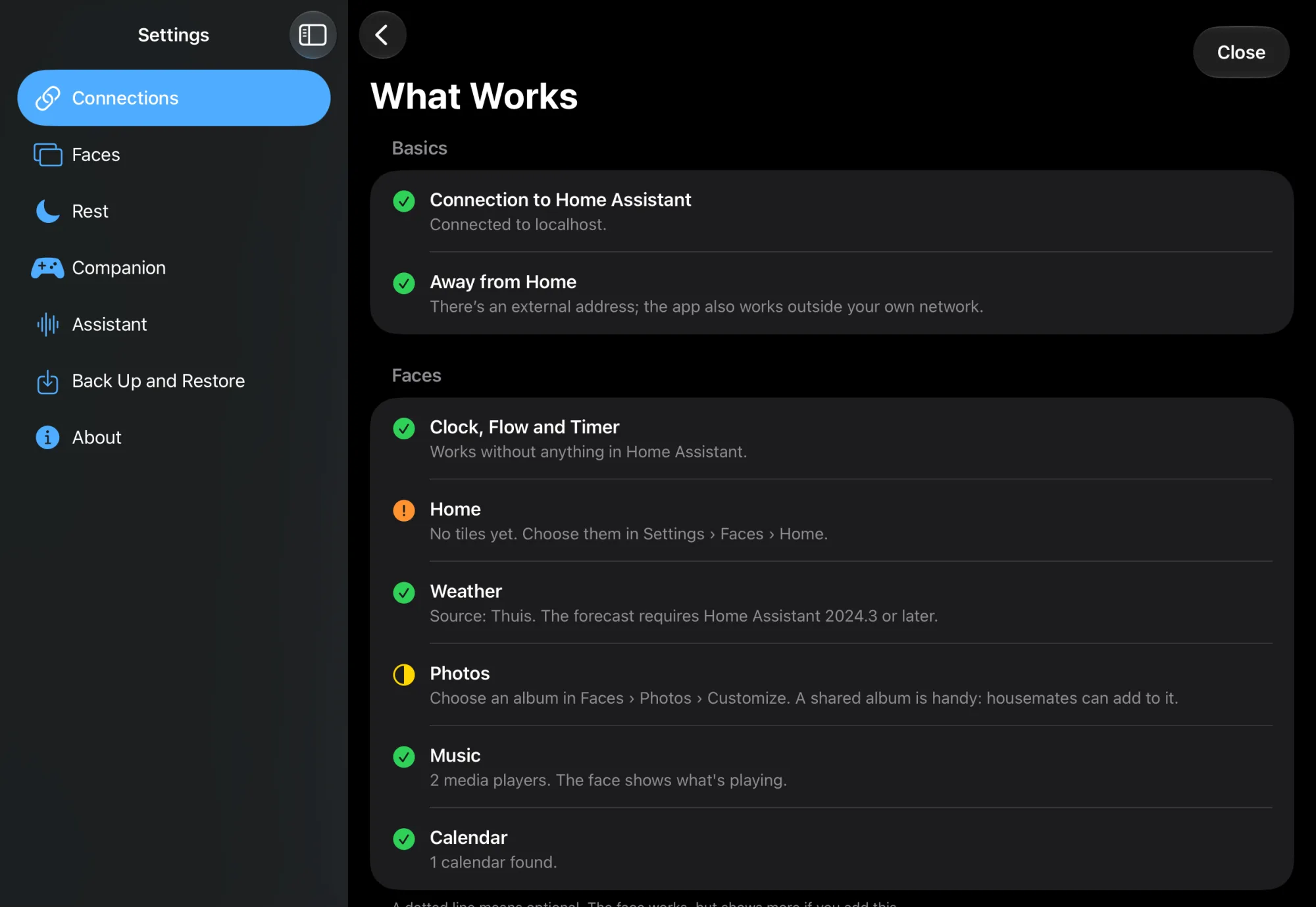
The symbols
| Symbol | Meaning |
|---|---|
| Green check | Ready |
| Orange exclamation mark | Missing |
| Half-filled circle (yellow) | Partly works |
| Dotted circle | Optional: the face works, but shows more if you add this |
The parts
Basis (Basics)
- Connection to Home Assistant: whether the app is connected now.
- Away from Home: whether there is an external address. Without one, the app only works at home. See Connect Home Assistant.
Faces
- Clock, Flow and Timer: always work.
- Home: whether there are widgets with devices on the home face.
- Weather: whether Home Assistant has a weather source.
- Photos: whether the app may use your photos and an album is chosen. See Photos.
- Music: whether Home Assistant has media players.
- Calendar: whether Home Assistant has calendars.
PlayStation-companion (PlayStation companion)
- Game and total trophies: whether the PlayStation Network integration was found.
- Switch to the companion automatically: whether something reports that the PS5 is on. Half-filled means: through the cloud, about 30 seconds later. With ps5-mqtt it switches right away.
- Trophies per game: whether the npsso token is set and still valid.
- Blinds and soundbar: optional.
See PS5 companion.
At the bottom is Guide with all the steps. That link opens the guides on instnt.nl.
Check
If every part you use is green, everything is set up.
Not working?
Wat werkt er (What works) isn't there
The list only appears when Home Assistant is connected.
A text names a place you can't find
Some texts in the list use an older name:
| In the list | On screen |
|---|---|
| Instellingen › Verbinding | Settings › Connections |
| Instellingen › PlayStation | The PlayStation card in Settings › Connections |
| Instellingen › Faces › Woning | Long-press the home face: edit mode |
| Faces › Foto's › Aanpassen | Long-press the photo face, OPTIONS › Source and Album |